Approve the living outline
Measure the plant above and around the pot, including stems, support, tray and retail packaging. Test the real access path and collected condition. A pot fitting inside is not enough.


Someone wants a small plant or a ready-to-give orchid. You offer a visible choice and a clear purchase. Behind the glass, your job is practical: choose plants that fit, make collection easy and keep the care, stock and costs under control.
Explore the cabinet ↗Check the business case ↗Cream botanical graphics, deep leaf green and soft orchid colour come from the supplied design. The equipment and care requirements still need their own evidence.
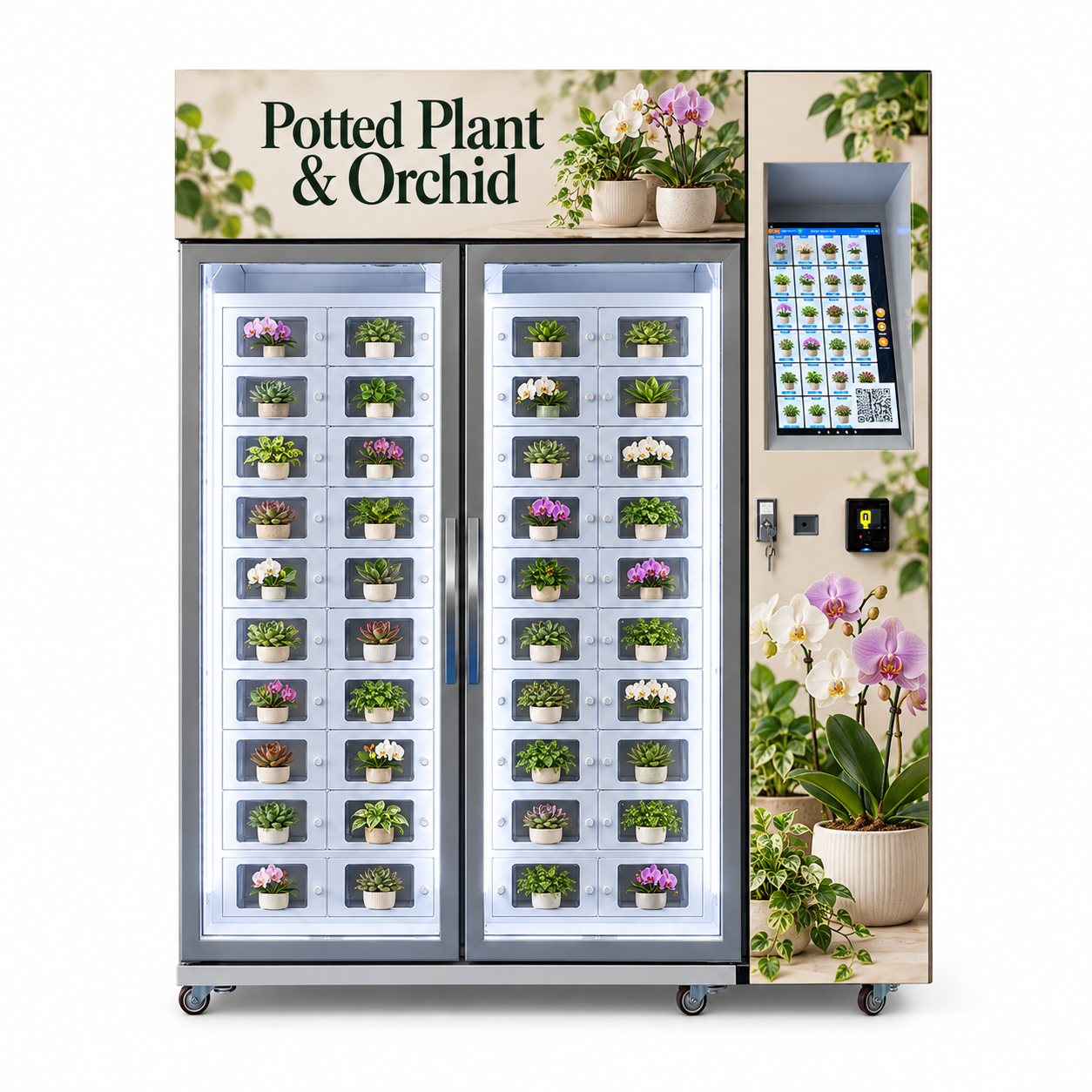
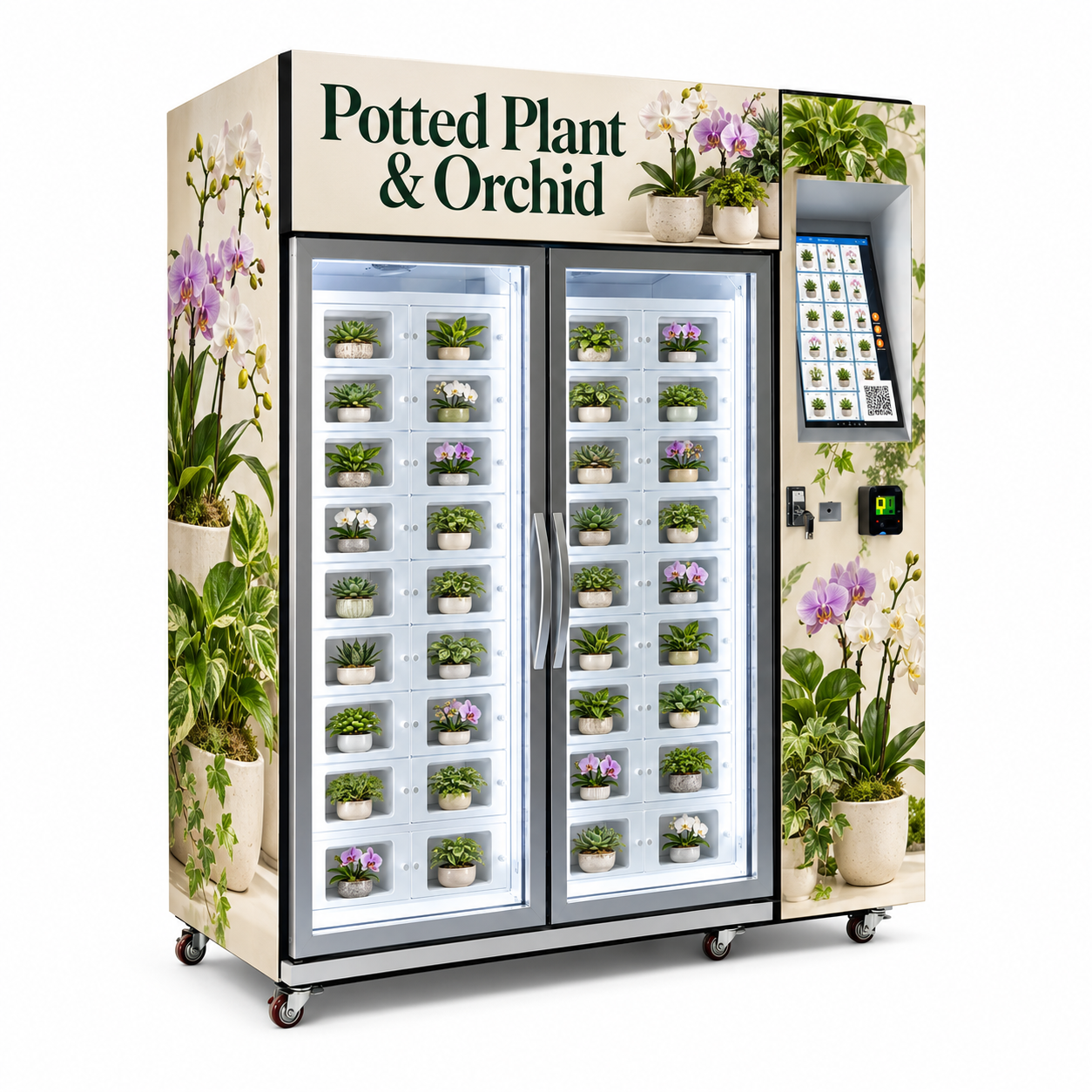
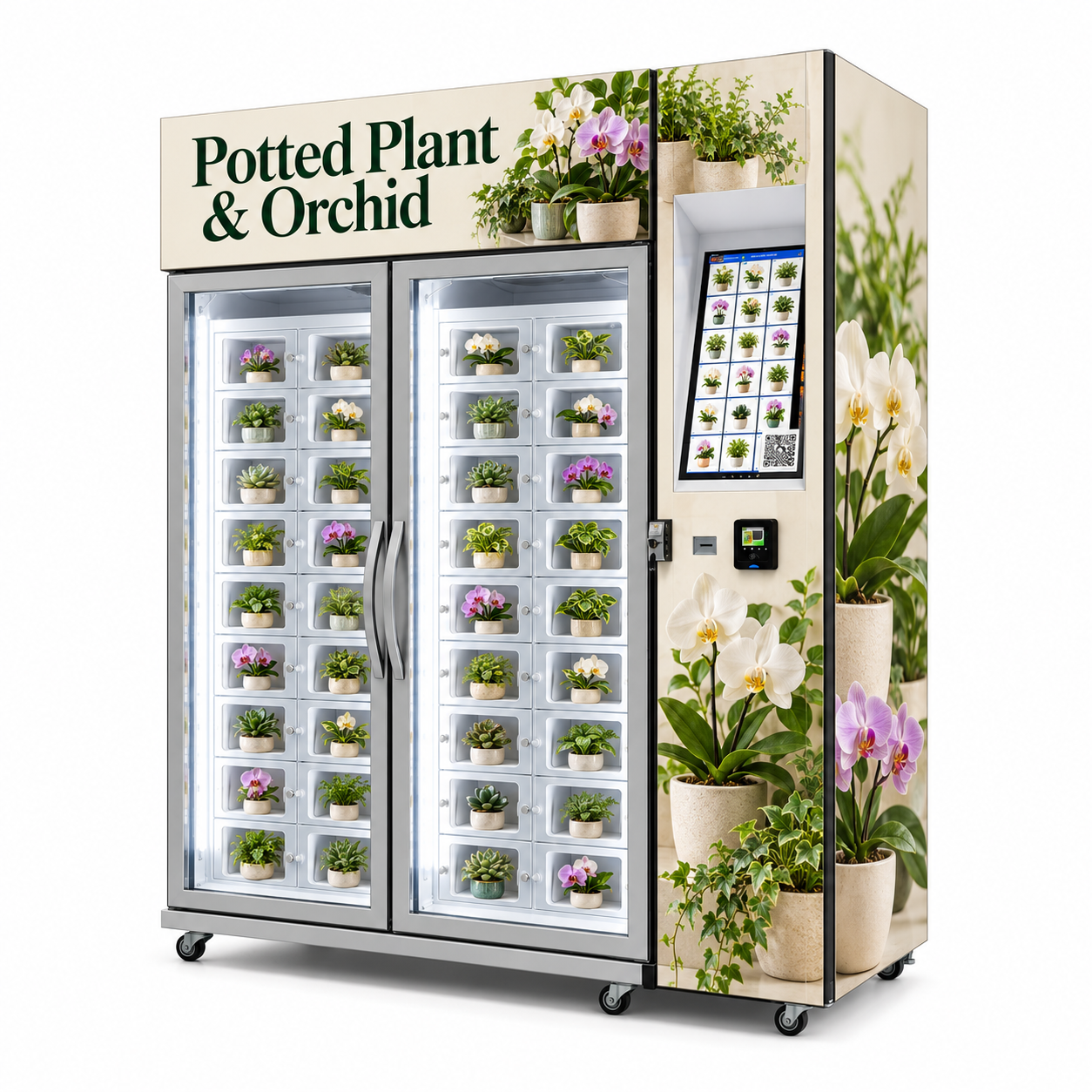
The supplied views show two glazed merchandise sections with individual transparent-front positions, prominent handles, a recessed portrait catalogue and separate payment hardware on the right. Small potted plants and orchids are illustrated. The final internal and access systems are not documented.
A visible plant offer can help a buyer recognise flowers, foliage and the style of pot before choosing. This may suit a small gift or home/desk purchase without a dedicated counter at that point.
Show what the customer actually gets, including pot, plant size and condition. Visibility is useful, but the picture does not establish glare performance, glass material or whether each shown plant remains individually selectable.
The compartment-style fronts give each illustrated pot a defined place. That suggests a format-led display rather than loose plants travelling through a snack-style drop route.
Ask which doors the customer opens, what releases electrically and how collection works. Separate fronts do not establish individual sensors, independent climate zones or an approved anti-damage mechanism.
The portrait interface shows plant products, with separate hardware below. The recessed control area makes the intended customer starting point visually distinct from the display.
Confirm touch input, display size, languages, actual checkout and terminal provider. The QR image is reference screen content; it does not prove a particular wallet or account integration.
Cream wrap, white/purple orchids and leaf photography make the category obvious. A focused plant offer can look coherent in a suitable retail or hospitality setting.
Agree final graphics, rights and the exact assortment. The depicted pots and blooms are reference goods, not guaranteed inclusions, botanical identification or a promise of the live stock condition.
Collection needs to protect the pot, soil, leaves and any flower stems. The images do not demonstrate the lock sequence or show whether a customer must open a large outer glazed door as well as an individual front. Ask to see the actual flow.
Make plant type, sold size, pot and price clear. A picture of a flowering plant should not quietly sell a different foliage product or an empty decorative pot.
Use a defensible real description and representative-image policy. Botanical variations and changing blooms need clear retail wording; do not promise a particular flower count from a rendering.
Show the total, accepted method and what happens next. The terminal, payment provider and machine controller all need to work as a configured package.
Demonstrate approval, decline and pending/timeout behaviour. Confirm merchant ownership, currency, transaction fees, settlement and refund authority before relying on a self-service sale.
A selection should lead to the intended plant and a usable opening. Check high and low positions, door swing and the space a customer needs to reach in.
Identify command, lock release, door movement and actual removal as different events. A log of one stage does not prove every later stage occurred; ask which evidence is fitted.
Take the actual pot and plant out through the real opening. Observe leaves, stems, tray and any sleeve as well as the pot itself. Close the access through the intended routine.
A pot fitting inside a compartment is not enough. Test the full living outline and handling method with realistic stock, including wider foliage and taller supported stems.
Ask for a supplier-approved demonstration of the paid-but-no-access case. Define the customer message, operator contact, tracing reference and person authorised to provide supported access or refund.
Automatic recovery, remote unlocking, product-removal sensing and automatic refunds are not established by the rendering. Include each required function in the actual quote and test.
Open the formats you want to sell. These are sample-approval questions, not a universal compatibility list. The correct test uses a real living plant in the complete retail presentation.
Fit the leaves, not only the pot.
A small pot can carry a wide plant. Use the full foliage spread, height, tray and any transport sleeve in the physical test.
Use a real sample: Demonstrate removal without compressing leaves against hinges or fronts. Agree how growth or changed stock size is handled at later refills.
Flowers and supports need clearance.
An orchid can have tall stems, clips and delicate blooms above a compact pot. The printed floral theme is not approval for every orchid format.
Use a real sample: Test the actual stem support, outer sleeve if used and removal angle. Inspect flowers and leaves after a complete customer-style collection.
A rigid pot and a fragile surface are different issues.
A low plant may still have delicate leaves, sharp outlines or a top-heavy container. Approve the full retail unit, not a generic category name.
Use a real sample: Check stability, opening, safe hand placement and any protective presentation. A sample of one species or pot does not approve all low plants.
Keep the live outline within the access case.
Trailing foliage can extend beyond a pot and catch in openings. A staged rendering does not establish what happens after time in the cabinet.
Use a real sample: Define the approved presentation and on-site inspection. Recheck growth and any sleeve or support rather than assuming a constant footprint.
Weight and stability belong in the test.
A decorative pot may be heavier than a nursery container. The actual tray, cover pot and moist growing medium change the loaded weight.
Use a real sample: Obtain payload, support and opening limits. Confirm removal, spill containment and breakage response without assuming a safety rating.
Packaging changes the product format.
A sleeve, ribbon, care card or outer carrier can make the offer easier to give, but also changes width, handling and customer expectations.
Use a real sample: Approve the complete retail presentation. Confirm what is included and how customers lift it; do not promise a carrying bag or gift wrap not supplied.
The useful retail format still needs an appropriate care plan. This page does not infer watering, grow lighting, climate control or plant-condition sensing from the botanical theme. Confirm the actual requirements and who performs the work.
Ask the plant supplier for the requirements of the actual stock and agree which products belong together. A general cabinet photograph does not establish suitability for mixed species.
Plants that look similar can need different conditions. No universal care setpoint or holding duration is provided here. Use the product-specific requirements to request equipment evidence and define the operator’s visit routine.
The images show illuminated-looking cabinet interiors, but no spectrum, intensity at plant level, photoperiod or horticultural lighting package is supplied.
A bright display is not a grow-light specification. If grow lighting is needed, specify it and ask for relevant data in the actual loaded layout. Do not assume white display lighting provides the required growing conditions.
No heating, cooling, humidity regulation, ventilation rate or monitored operating range was supplied. Confirm what is fitted and how it supports the approved stock at the intended site.
Glass and metal-look framing do not prove climate control. Ask for representative loaded conditions, ambient limits and access effects. An interface or software setting is not proof of the condition around every plant.
No automatic irrigation, reservoir, drain or moisture sensor is established. Agree the actual watering/inspection method, safe equipment procedure and responsibility.
Plants do not remove the need for a service visit. Check how trays, water, soil and cleaning are handled around electrical areas. Follow fitted-machine instructions and supplier care guidance; do not improvise a wet-service method.
A software quantity cannot assess wilting, damaged stems, pests or a broken pot unless a specific proven system exists. Assign inspection and removal criteria outside generic stock reports.
A saleable count needs a physical judgement. Record plants removed from sale and update availability. A refund does not automatically return a usable plant to stock; a changed condition needs the operator’s process.
A plant can grow, trail, lose blooms or need attention while in the cabinet. A fixed pot footprint is not the full long-term loading case.
The approved outline can change. Use a realistic review interval and inspect full height, spread and presentation. The equipment does not supply a verified shelf life or guarantee that stock remains unchanged.
WEIMI manufacturer references describe general inventory, sales, price, content and status functions. Confirm compatible electronics, enabled modules, connection and ongoing fees for this plant cabinet. No sensor or automatic-care system is implied by the word smart.
WEIMI describes general inventory tools and alerts. When loading records are accurate and hardware is compatible, these can help identify what needs attention before staff travel.
Prepare a purposeful refill. Demonstrate load, sale, test access and manual correction. Identify whether the record is a transaction count, door event or sensor-based quantity. It is not a plant-health assessment.
Recorded product/time/location sales can help compare the approved assortment. A blooming gift plant may have a different pattern from a small foliage pot.
Learn which offers deserve space. Check included filters, exports and refunds. Compare retained sales with payment settlement and stock movement. Visitors and screen taps are not retained unit sales.
Included pricing tools may avoid a trip made only to change the price. Check the contribution after product, care and operating costs before discounting.
Update a supported offer between visits. Test permissions, publication, offline behaviour and actual charge. Keep printed information aligned and confirm when an update has reached the live machine.
Supported catalogue updates can align plant description, image, sold size and pot with actual stock. That matters when blooms or a permitted supplier format change.
Keep the screen and living stock aligned. Confirm editable fields and representative-image wording. A plant picture cannot identify the species or care needs without a defensible supplier reference.
General status/alert tools may help identify a unit needing investigation. Their value depends on included events and someone responsible for responding.
Turn a signal into a named action. Network online status does not prove suitable climate, watered plants or working access. Temperature/moisture sensing and automatic sale controls require their own hardware and account scope.
If supported by the purchased account, central reporting and staff roles can help organise a route. Keep product and site references consistent before adding units.
Coordinate growth with accountable records. Confirm subscriptions, machine/user limits, exports, owner access and recovery. Compare sites after local venue and care/route costs; a common dashboard does not guarantee profitable expansion.
Create the actual plant/size/pot, image, price and position. Load known stock, find a sale, publish a price, remove unsuitable stock and receive an included test alert. Hand over users, permissions, fees, owner recovery and account limits.
This local field-note board does not connect to the machine. Open a question to prepare the account and refill routine. Accurate mapping is a practical benefit of digital retail when someone owns the updates.
Keep a verified product description, actual supplier and sale unit. Similar leaves in a catalogue do not establish interchangeable stock.
Use the supplier record for identification and care, not an assumed species inferred from a small rendering.
State whether the product includes the visible cover pot, nursery pot, tray, sleeve or care card.
A decorative reference image should not silently sell a different bare container.
Define the actual retail size range and representative image policy. Flowers, leaf outline and growth can vary.
Use clear retail wording rather than promising identical bloom count or a photographed individual plant without evidence.
Map the approved product to the actual compartment and demonstrate a substitution through the full process.
Changing the image does not move physical stock or reapprove a larger plant.
Record receiving, loading, sales, test access, manual removal and items held from sale.
A dashboard count does not decide which living plants are in saleable condition.
Show empty/unavailable selection and the supported process to return a refilled position to sale.
Payment reversal and stock correction may need separate actions; do not treat a refund as a returned usable plant.
Test the displayed amount and actual charge after a permitted update, including offline behaviour.
Confirm staff rights, owner recovery and the included audit/export scope.
Make receiving checks, inspection, watering if required, removals and customer help specific jobs.
Account roles organise work; they do not perform the physical care routine.
Allow for stock paid for but not sold, then include fees, venue and actual care/route work. Use 0% as the no-unsold-stock comparison. The tool is a static retail calculation, not a demand forecast or a plant-care judgement.
Landed loaded-unit cost spread over the sold share.
After effective goods and other variable charges.
Retained sales divided by the sold share; a planning average.
The loaded quantity that is not retained sales.
After the fixed monthly cost you entered.
Initial cash divided by positive monthly contribution.
| Calculation | Formula or boundary | |||||||
|---|---|---|---|---|---|---|---|---|
| Sold share1 − entered unsold percentage ÷ 100. Must be greater than zero. | Effective goods costLanded cost per loaded pack ÷ sold share. | Unit contributionSelling price − effective goods cost − price × (payment % + venue share %) ÷ 100 − other variable cost. | Retained monthly packsDaily retained sales × trading days. | Modelled loadingRetained monthly packs ÷ sold share. This is an average, not a batch instruction. | Monthly contributionRetained monthly packs × unit contribution − fixed monthly cost. | Simple paybackInitial cash ÷ positive monthly contribution. Otherwise no finite payback. | Not includedFinancing, tax, depreciation, timing of stock purchases, settlement delays or variable seasonal costs. | Avoid double countingDo not add the same unsold goods cost again in another input. Treat extra disposal/handling costs separately if applicable. |
Enter demand, visit interval, buffer, usable stock and verified capacity for an approved allocation. This checks space against your entries, not plant condition, watering needs or a safe holding period. Care requirements can call for a smaller load or an earlier visit.
The supplied renderings help discuss layout and botanical graphics. Differences in illustrated row counts and stock mean the delivered configuration must be identified separately.
Two glazed sections and the recessed screen define the front. The rendering appears to show more rows than the angled views; verify the final map rather than copying the count.
Open original image ↗The botanical side wrap and large handles are visible. Request door swing, refill access and the full operating envelope, including customer reach.
Open original image ↗The angled view shows depth, screen recess and terminal area. Request actual display/payment specification, mass, service clearance and positioning procedure.
Open original image ↗No technical datasheet was supplied. The following register separates what the images show from what the final equipment and product test must establish. Do not infer greenhouse functions from the floral wrap.
| Area | Evidence and confirmation | ||||||||
|---|---|---|---|---|---|---|---|---|---|
| IdentityPotted Plant & Orchid retail concept. Model, final production layout and intended access sequence. | Merchandise sectionsTwo large glazed areas with individual transparent-front positions. Final count, unique position IDs, dimensions, payload and approved loading. | Customer accessLarge outer handles and small door-like fronts visible. Which doors open, lock control, closing, access window and customer reach. | DisplayRecessed portrait plant catalogue. Screen size, touch operation, resolution, software, languages and content fields. | PaymentSeparate terminal below screen, with other small fittings. Provider, accepted methods, currency, merchant account, fees and settlement. | QR imageQR graphic illustrated on interface. Its actual purpose and destination if used; no wallet/integration assumed. | LightingIlluminated-looking interiors. Display lighting specification; grow-light data only if explicitly supplied. | ClimateNo temperature/humidity/ventilation data. Actual equipment, range, loaded evidence and stock suitability. | WateringNo irrigation or moisture-system specification. Manual care and any ordered watering, drain or monitoring scope. | Base and serviceWheels, feet and cabinet handles visible. Mass, movement, stability, service access and final positioning. |
| Item | Evidence and confirmation | ||||||
|---|---|---|---|---|---|---|---|
| Complete envelopeNo dimensioned production drawing. Width/depth/height, opening doors, approach and service space. | Mass and transportNo weights or shipping data. Crated/uncrated mass, dimensions, handling and wheel/levelling instructions. | ElectricalNo input rating. Destination voltage/frequency, power, grounding and installation requirements. | EnergyNo measured consumption. Actual fitted options, test conditions and result if claimed. | ConnectionNo network package supplied. Hardware, site signal, offline rules and recurring data charges. | EnvironmentNo outdoor, ingress or corrosion rating. Written suitability for actual ambient, water, sunlight and site exposure. | Materials and cleaningNo material grades or cleaning compatibility data. Approved surfaces, safe wet work, drainage where relevant and service procedure. | DocumentsNo product-specific documents supplied. Applicable final-configuration destination documents. |
| Scope | Specific evidence to request | |||||
|---|---|---|---|---|---|---|
| Live-product compatibilityComplete plant, pot, foliage, stems, tray and retail presentation pass access/condition tests. | Access and stock evidenceEvent meanings, lock mapping, door/presence sensing only if fitted, and failed-sale handling. | Optional care controlsMonitoring/grow lights/irrigation/climate functions named, specified and demonstrated separately. | Remote accountCompatible controller, modules, roles, limits, fees, exports, ownership and recovery. | Performance figuresActual product, load, site conditions, test length and acceptance criteria; no guessed speed/uptime. | Warranty and serviceStart, duration, parts, labour, travel, freight, exclusions, local/remote scope and spares. | Delivery and setupFreight, unloading, placement, utilities, account/merchant setup, training and acceptance. |
A small plant can be a gift, a home addition or a desk purchase. That gives possible retail occasions, not a forecast. Match the actual site, audience, product and operating work.
A self-service point may extend a focused offer beyond a staffed counter. Check whether it adds sales or simply moves them from the shop.
Agree actual customer access, plant handling, staffing help and site terms. Staff proximity helps only if responsibility and time are available.
A relevant pot or orchid could suit a gift occasion when the description, size and collection are clear.
Check permissions, brand fit, customer assistance, carrying expectations and payment. Do not imply room charging or a guest-account integration without a configured service.
A suitable plant offer may be useful to people buying for a room or desk. Good access matters as much as the category theme.
Review stop/browse space, door reach, service route, ambient limits and opening hours. A closed building does not offer public 24-hour access.
Use ordinary trading to learn retained demand, removals, care time and service cost. Include slower days and the actual visit routine.
Events or gifting peaks are not the annual baseline. Another unit adds stock cash and care work. Compare each site after its own costs.
No warranty duration or local response commitment was supplied with the renderings. Agree installation, daily care work, software access and customer issues as part of the purchase.
Delivery, unloading, positioning, power, network, merchant approval and first purchase are separate tasks. Arrival does not always mean ready to trade.
Assign each task, required local work and acceptance. Keep product-care readiness and equipment setup visible rather than treating a powered screen as complete handover.
Staff need the fitted instructions for loading, plant inspection/removal, cleaning, supported account tasks and safe care/service work.
Include access roles, recovery, issue tracing and who may work near electrical/wet areas. No automatic watering is assumed to replace training.
A payment query, inaccessible plant, wrong product or damaged pot can involve different checks. Display operator contact and usable references.
Record machine/time/selection, reported result, provider/controller evidence and assigned next action. Use supported tracing without exposing full payment data in casual messages.
Ask for written warranty, exclusions and parts arrangements. Remote help is distinct from a site visit or included local labour.
Agree start, term, parts, freight, travel, replacement handling, spares and the route for recurring faults. Include planned care and maintenance cost in the business plan.
The operator needs a defined inspection, hold/removal and product-issue procedure appropriate to its stock and sales terms. Equipment support can explain the machine; it does not automatically authorise live-stock condition or product refunds.
Record the removed unit and update availability. A repaired lock, restored connection or normal-looking screen does not by itself make an affected plant saleable.
This local checklist counts selections while the page is open. It does not save records, certify plant condition or submit equipment acceptance.
Natural product terms, visible facts and useful answers keep this page understandable to buyers, search engines and AI retrieval. No invented reviews, ratings or hidden keyword lists are used.
No irrigation, reservoir, drain, moisture sensor or automatic care specification was supplied. Define actual supplier care requirements and operator tasks, and quote any required automatic system separately.
Read the related section ↗Only illuminated-looking displays are shown. No grow-light spectrum, intensity, photoperiod or plant-level data was provided. Display lighting is not assumed to be horticultural lighting.
Read the related section ↗No climate-control data was supplied. Confirm the actual fitted equipment and suitability for the approved plants at the intended venue. A glazed cabinet is not proof of a greenhouse function.
Read the related section ↗WEIMI describes general stock, sales, price, content and alert tools. Confirm compatible hardware, modules, connection, roles and fees. Care sensors and automatic controls need separate evidence.
Read the related section ↗Use actual stock cost, retained sales, unsold allowance, fees, venue and care/route expense. Tools calculate static contribution and simple payback, not demand or plant survival.
Read the related section ↗Send destination, product requirements, full retail size, care expectations, venue, payment preference and remote tasks. Ask for the machine, account, installation and support in one configured quote.
Request final drawing, approved living-product loading, full purchase, confirmed optional care functions and actual ownership costs.
Discuss the configured quotation ↗